Solutions · Cafés
Skip the queue
Guests order from their table or seat and pay on their phone. Your baristas see every order on one screen.
9:41
Marina Grand HotelRoom 412
Your order
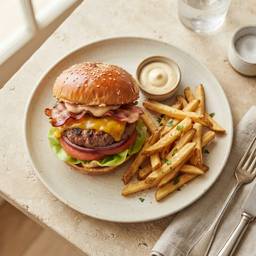
Truffle Wagyu BurgerMediumQAR 68
1

Saffron Chicken BiryaniRegularQAR 54
1
Who’s paying?
I’ll pay it allPay now, QAR 152.50Split with friendsSend a link, everyone pays on their phoneAdd a tip
100% goes to the team that serves youNo tip5%QAR 6.1010%QAR 12.20
Pay QAR 164.70
Your order goes to the kitchen as soon as payment succeeds
Shorter queuesFewer people waiting at the counter at peak time.
Tips that reach the teamGuests tip on their phone, 100% to your baristas.
Sold out in one tapOut of croissants? Switch them off and guests see it at once.
Used in this solution
How to start
01Send us your menuWe set up your menu, photos and QR codes with you, in English and Arabic.
02Print and place the QR codesOne code per table or room. Each kitchen signs in to the Quin Kitchen app.
03Go liveGuests order and pay from day one. We stay on WhatsApp for anything you need.
100% to your team. You choose the tip buttons guests see. Quin takes no fee on tips.
Mark it sold out from the menu, the kitchen screen or the kitchen app. Guests see it at once and can’t order it.
No. Use any tablet or phone for the kitchen. A receipt printer (80 or 58 mm) is optional.
Ready for your first QR order?
We set it up with you. Most venues go live the same week.